Showing posts with label MS Surface. Show all posts

Wednesday, July 01, 2009

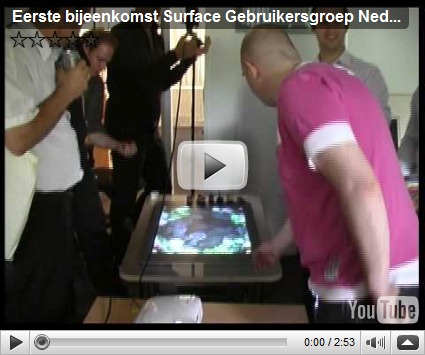
Surface user group Netherlands kicked off

As you may know we started a Surface user group together with Cap Gemini and dotNed.

Below you find an impression of the first meeting we held at our office.

For more information about the Surface user group, you can contact me or any of the other founds of the user group.

Bye,

Bart

Wednesday, June 24, 2009

Surface tagged objects coming up

3poppetjesAs you may know from my blog, we are pretty active on Surface. We develop and design for Surface and talk about it (a lot…). But, we are also trying to come up with some tagged objects, especially for Surface.

These objects (it is a photo of the real objects, not a render of their design) are tagged at the bottom so the Surface unit can detect which one is placed on the Surface unit.

poppetje_batterij These are trial objects, based on our company logo. We are evaluating the production process. E.g. we now know that the ‘neck’ of our logo is too fragile and we will have to redesign it to be more robust. Also, it is a bit too large to make a good object for the unit. But, we are learning along the way and I think the next batch with a bit of a redesigned object will be a lot better.

More designs will follow and these objects will be for sale. We are thinking of creating branch specific objects, but also some abstract, more versatile objects. They will have a fixed tag on the bottom (for now) which are routed out. There is no more need for that bit awkward sticker at the bottom of your object.

You will be able to buy these objects made from a synthetic material. They are solid though and feel pretty robust. You will be able to order these in wood, which will be hand made (and will have a higher price and a longer delivery time of course). We haven’t set the price yet, but they will be reasonably priced.

If you have any thought on this (suggestions for designs, material, otherwise) please let me know at bart.roozendaal@sevensteps.nl

Bye,

Bart

Saturday, June 06, 2009

Just a few more words about the switch from Delphi to C#

Thanks for all your comments to my post about switching from Delphi to C#. Although I didn’t intend to stir up that discussion again, I would like to answer some of the questions and suggestions raised/

I appreciate everyone telling me about teaching C# programmers Delphi. I know it's not too hard; I've done it myself :-) But, the number of programmers out there does reflect the popularity of a platform, doesn't it? And some applicants bluntly told me they didn’t want to work in Delphi. They obviously didn’t get the job, but it did make me think a bit.

But, the lack of programmers wasn't the main reason for us to switch at all. Despite somewhat (...) critical sounds about Microsoft (some of which I tend to kind of share) there is a lot of development in the Microsoft world. Way more than in the Delphi world. Some may be good, some may be not so good or terrible, fact is that there is a lot of effort put in the MS platform.

What really did it for me were two things.

(1) We had to wait for Delphi 2009 for Unicode support, which (IMHO of course) is a major misjudgement. I haven't been able to deliver Unicode software, even though there was a bit of pressure out there. I know for a fact that I did lose sales because of that.

(2) About the same time Delphi 2009 (and Prism) came out, I attended the Microsoft PDC. It opened my eyes regarding to the scale of things. One may not like MS being enormous in size, but there are so many exciting things going on out there, that it made me decide to go the other way.

In fact, I particularly went to check out MS Surface. Just one of those things that MS can do and Embarcadero won’t. That’s not to hold against them, and it doesn’t have anything to do with my choice for C# really, but it did tell me that there was a lot more going on than I really wanted to realize.

Just a quick note on quality of tools: I was getting used to Delphi crashing on me several times a day. It was getting to a point that I did take that into account when starting a days work. I am so glad that is over: Visual Studio hasn’t crashed on me once since I started using it. Not a real argument for the choice either, but I’m glad that’s out of the way.

I will always love Delphi and will be programming in it for the next couple of years, I’m sure. But for the next few generations of our software engine, C#/.Net will be the platform of choice.

Now, that still doesn’t solve those designing issues for me :-) Guess I’ll have to do some investigation.

Bye,

Bart

Friday, June 05, 2009

Contemplating MVC for our software

I’m currently in the process of redesigning our software for a new implementation in C#/.Net. Our current implementation is great of course (…) but some considerations made us decide to move away from Delphi into C#/.Net. I’ve listed the reasons before, but to summarize here is a part of the introduction of our formal business case for going C#/.Net.

Microsoft will always invest more than Embarcadero will

As much as I like the Delphi world, there will be more development into C#/.Net than there ever will be into Delphi/Win32. It’s just a matter of size: MS is way bigger than Embarcadero and the number of developers for C#/.Net will always exceed the Delphi/Win2 group.

There are more C# developers than Delphi Developers

It’s a fact. I had a hard time to find experience local Delphi developers. There are plenty C# developers. To just mention a fact: the Delphi user group that I attended had between 5 and 8 developers on each meeting (every 3 months) and I was presenting on every meeting I attended. The dotned group I recently joined has meetings every month with between 20 and 50 developers every time. And the dotnet group is just one of many C#/.Net groups out there.

And there are numerous other considerations to make the move that I won’t mention here. All of them are commercial and strategic considerations, not technical ones.

So, there we go, we will redesign and implement our software.

Design decisions

There are a couple of little draw back to redesigning and reimplementing software (it will set you back a hell of an amount of money) but there are a couple of good aspects too. You can reconsider some design decisions you made earlier. You can apply new technology if you want to. Stuff like that.

There are two major decisions I am currently thinking over:

  1. Will I use DevExpress XPO or will I use the Microsoft Entity Framework for my ORM?
  2. Will I implement a ‘simple’ 3-tier model or will I go for a MVC model?

Deciding Object Relational Model

There is a bit of information available regarding the decision between XPO and the Entity Framework. I found Gary’s Blog (by DevExpress) highly informative. It’s been noted here that I am a huge DevExpress fan and am really considering building our software using XPO. But, the fact that Microsoft is behind the Entity Framework does play a role in my considerations. I haven’t gone into great detail investigating either technology (and I think I must to make a sound decision). It will be between those two I guess.

3-tier model or MVC model?

Our current app is more of a 2-tier model. The business logic is implemented next to the user interface and I want to move away from that. I am currently contemplating a MVC model or a ‘traditional’ 3-tier model. Our software will have a WinForms user interface as its main interface and most of the stuff out there is using ASP.Net (which I will use for only part of the editing work in our software).

I found this blog (http://rdn-consulting.com/blog/2008/02/01/selecting-a-mvcmvp-implementation-for-a-winforms-project/comment-page-1/#comment-1663) that kind of sums up my considerations.

I haven’t made any decisions on these issues, so any thoughts that you think are worth sharing are much appreciated.

Bye,

Bart

Saturday, May 30, 2009

DevDays are over

The last couple of days I was at the DevDays and I enjoyed it for most of the time. There were a couple of sessions that made me waste some of my time (at some I even dozed off). But there were others that I fully enjoyed. The session by Sara Ford was fun because of her enthusiasm and energy. At one point in the session she (tried to) persist that a particular functioned wouldn’t work. But, I’ve go to hand it to her, she still followed some hints from me (sitting in the front row as ever) and was perplexed that that function did work. She got down from the stand and bowed for me in front of a 100 people or so. That was fun.

I also very much liked Rob Miles’ session on Micro .Net. He is a fun speaker and he showed how easy it is to create software for embedded (tiny) systems. I will definitely try some of that stuff out, if I can get my hands on some hardware that doesn’t need fiddling with. I’m a software guy and definitely not a hardware guy. Rob’s session on XNA was not much more that the first two pages of the tutorial, so that was a waste of time I’m afraid. I was baffled that he didn’t know MS Surface supports XNA too. Should have known…

I also ran into some former colleagues and it was nice to get up to date about their (working) lives.

Monday it’s back to work again. Although the rest of the Netherlands will enjoy a day off, I won’t (because I forgot it was a holiday and I promised some work to be done).

Not much technical stuff this time, but: if you are a Visual Studio user, check out Sara Ford’s web site for the VS tips. I’m sure there are a couple that you didn’t know and will like. I know I picked up a tip or two.

Bye,

Bart

Wednesday, April 29, 2009

Running MS Surface SDK on Win Vista 64 / Windows 7

I just found this great post (http://www.grumpydev.com/2008/12/26/surface-sdk-on-vista-x64/) on how to install the SDK on Windows Vista 64 bits and used it to get it working on my Win7 64 bits machine. Removing a couple of more launch conditions in the MSI did the trick for Win7.

As mentioned in the original post, no guarantees, but I'm happy I can leave our MS Surface unit outside my room now. You don't need additional heating in your room with the unit on :-) but you do need ear plugs due to the fan :-(. Ok for public spaces I guess but not in my office.

Bye,
Bart

Wednesday, April 08, 2009

Developing for MS Surface – First project experiences

Our client and of course my Twitter followers got a couple of updates during our first implementation of a real world MS Surface application. But I thought it would be nice to summarize my experiences.

Sorry about the quality of the videos: I will buy a more professional camera in due course.


The final product …

As said before a couple of times already: Microsoft deserve a big compliment for the software (and hardware) they delivered. It is so comfortable developing for the MS Surface unit if you have any experience in C# and Visual Studio. Even though I didn’t have any experience in WPF (which would have made it even easier) I was able to take off quite quickly and within matters of hours come up with the first working prototype of the application.

The application itself isn’t that hard or special. It presents product information, triggered by a couple of tags which are glued to the back of the business cards of the sales persons.

In this project we didn’t do the visual elements, but left that up to out partner’s visual designers. That kept me worried for a bit, because I know from experience that integrating visual designs sometimes can be a pain. Not this time though; the VDs of Heuvelman (the partner) did an excellent job and it must be said: everything fitted the first time.

During the development I had to take a couple of hurdles. First, I had to get acquainted with WPF and XAML. Since this was my first WPF program, all of that was a first. I did some experimenting some time ago, but working on a real project is a different cookie as we say in Dutch. But, I got the hang of it quite soon and information on http://www.stackoverflow.com came to the rescue more than once.

Also, the Surface Community site came to the rescue on a couple of occasions. And even though that site isn’t the best Microsoft ever created (to be very mild), the information on it helped on a number of occasions.

But the best part of this project was actually delivering the project and seeing it in action on Event 2009. The salespersons were going berserk seeing the end result and were full of adrenaline to start using the unit and software. I think a lot of sales deals will be done at the Heuvelman stand :-)

It was great fun working on this project, but the working schedule (14 continuous days of working from 8am until 12pm or even later) almost did me. Next project will have a much more healthy schedule.

I’ll keep you posted about next projects. If you want to look at all the stages of the project you can always check out Youtube at http://www.youtube.com/brooz2001.

Bye,

Bart

Sunday, April 05, 2009

Getting the hang of things in WPF

Today I found this website (http://nerdplusart.com/) with this movie (http://msstudios.vo.llnwd.net/o21/mix08/08_WMVs/BC01.wmv) on it.

I've been busy for about two weeks on a real WPF/MS Surface project now and I kindof got going pretty well. But only after seeing that video I really start to get WPF and appreciate Blend. I still think it can be improved (I'm using the Preview of version 3), but I think MS will get there. Right now, I think WPF/Surface/Blend totally rocks.

I will update in a couple of days and write about the then finished project.

Bye,
Bart

Wednesday, April 01, 2009

First release of first Surface app delivered

It has been extremely hard work (the project has an insane schedule), but the first release of my first Surface app has been delivered.

I have to give my respect to Microsoft (again) for the quality of their software with the MS Surface unit. Although I’m not an experienced WPF programmer at all it has taken me about a week to come up with this first release. I am a pretty experienced programmer though, but still, coming up with this, learning along the way, after only a week is pretty awesome I think. And that has as much to do with the quality of the MS stuff as with my own capabilities (cough…).

I’ll be working on this for the next week or so. Next week the units will be a the Event2009 event, together with this little app to show off the products and services of our (MS Surface) partner.

Bye,

Bart

Monday, March 23, 2009

Some 3D manipulation on a MS Surface

A couple of clients are interested in a MS Surface unit, but only if it can handle 3D. Well, it can! And pretty good too. In a very short time I created a small demo that will make you view a 3D model from all sides. It's not very sofisticated (yet) but will do quite nicely as a demo.


Update: this is what you can do if you have a bit more resources to spend :-) Our day will come!


Bye,
Bart

Wednesday, February 25, 2009

Progress on the Surface unit

The title might give you the idea that there’s any. Well there is, sort of. I haven’t done any development lately, partly because there’s a lot of other stuff to do, but also because we had a lot of visitors coming to peek at the Surface unit.

Besides all that it is, it is also a very good marketing instrument for our company. Simply having it make the crowds turn up. And if we show the small examples on it that we have, probably convinces people already.

We now have two developers working on it full time (that also is a reason for me not to really press for development time on it for myself). One of them will be working on a Concierge-like program (using a map to display information about buildings) and the other will be working on moving stuff around on a 2D-map of a building, calculating all kinds of things doing that.

I will be focusing on marketing and finding business partners for the development on the Surface unit.

So, if you have any suggestions, don’t hesitate to contact me.

Bye,

Bart

Saturday, January 24, 2009

WPF beginner begins…

I am a programmer since day one of the PC. However, I have always been working on business applications, mostly working on documentation software. I recently started work on a MS Surface unit and that involves programming using WPF (Windows Presentation Foundation)  or XNA. Since we also do a lot of web stuff, I chose WPF for my current development work.

Programming in WPF is a much more visual experience than what I was brought up with (Cobol, Fortran, Basic, Pascal, C, C++, Smalltalk, et cetera, et cetera). An important part of WPF are the definitions in XAML (Extensible Application Markup Language). This XML file defines the objects in your window and application. I am currently using Microsoft Blend to edit the XAML files, but you can of course edit them with Visual Studio too.

I’m just beginning with C#, .NET, WPF, XAML and Surface. Our company software is written in Delphi/Win32, but we will make a transition to C# and .NET this year.I won’t be programming on that myself (that much) anymore, but I want to know all about the technology we will be using of course. So, I’ve taken up the challenge to write some software for our MS Surface unit to learn our new environment.
I might use some ‘wrong’ terms and concepts. I will make some beginner mistakes. Bear with me though: I’m learning along the way. This blog shares my experiences doing so for you to learn from or laugh at…

As said, I’m not brought up with a lot of graphics in my software, let alone handling or animating them. So, I’m not that comfortable (yet) with the way WPF-programmers work. But, I will learn along the way and will share my thoughts and experiences for others to learn or to laugh at.

My first program

I am targeting the MS Surface unit and I thought it would be nice to begin with a small game: Memory (I’m assuming here that everybody knows the Memory game). The logic in that is simple, it’s quite suited for the MS Surface unit, it will be a nice gift for new Surface customers, but most of all, it will be a good subject for my learning experience.

So, the functional specs are:

  1. The images used for the memory cards will be taken from the clients computer
  2. The difficulty can be set using a slider
  3. The memory cards animate when flipped.
  4. (there’s a couple of more specs, but those will come later)

So, how to start? The first steps were easy. Create a board with images. The actual flipping will come later.

Update #1: I was writing this while working on my game. I have now proceeded a bit more, but I got word that Microsoft had planned for a programmers course coming week. So, I’ll be going to Paris a bit later this week and I hope to get a bit of a head start. I will finish this game and I might even make it open source. I’ll let you know how I get along.

Update #2: I am also really not introduced to the world of 3D. However, I found this great little article that helped me on my way. So, the first hurdles are taken. Maybe I will be able to do some nice stuff on my own to coming days.

Let’s regard this post as a first in a series.

Bye,

Bart

Wednesday, January 21, 2009

MS Surface – Dead Easy

As mentioned, yesterday our surface unit arrived. It was my day off, so it was not until today that I could get my hands on it. Now, fact is that I am swamped in regular work, so I have to work late to get some extra stuff done. And, of course the family suffers, because I won’t be at home at night.

So, the family has to come to me, which has the added benefit of having a representative test user group around me:

The guy is four years old, doesn’t own a Wii, Playstation or Xbox (or any other electronic equipment). He can however handle the remote DVD control. The images show him only a mere minute after first laying his eyes and hands on the Surface unit.

I think it’s quite amazing and a good advertisement for the technology that a kid this young can start working with it immediately without any help. It won’t be too difficult to convince our clients that usability is not an issue.

Bye,

Bart

Sunday, January 18, 2009

Surface unit will arrive on Tuesday

We got word that our Surface unit will be arriving on Tuesday. All preparations are done. We also learned that MS will reuse the package material (40kg or so in weight :-|). I think that’s a good thing: package material that large in size would be a waste when simply disposed off.

Tuesday is my day off though, so it will be Wednesday before I can lay my hands on them. Our new programmers will be working on other things for the next 4 weeks now (we had it planned that they could start at the very beginning of the year). A bit of a set back in our planning, but we’ll have to take it as it comes.

I’ll keep you posted.

Bye,
Bart

Monday, January 12, 2009

Look out, Microsoft Surface - the iTable might just trump you in every way

This is presented as an alternative to MS Surface. I think it might be a Windows multi touch alternative though. Still, pretty cool stuff.

Look out, Microsoft Surface - the iTable might just trump you in every way

Thursday, January 08, 2009

Using Virtual Earth on Surface

I still haven't got the actual unit, but it should be somewhere between Germany and our office. Maybe today?

In the mean while I found http://blogs.msdn.com/publicsector/archive/2008/06/24/wpf-and-virtual-earth-revisited.aspx. This is an example on how to use virtual earth in a (proper) user control.

This helps a lot, as it will make virtual earth a 'normal' control. And it is now also pretty easy to use it on the surface unit (or at least the simulator). For our demo stages, this is good enough.

O the wonders of the work of others...

Bye,

Bart

Wednesday, December 31, 2008

Starting work on MS Surface

As you might know I will start work on a MS Surface unit shortly. Now, I've come up with a couple of ideas to implement. Some are more obvious (photos from one of our projects presented on a map) but others are more intriguing (using the unit as an aid for biological determination work). I also want to do some work on a 'social networking' application which can be used by 'customers' to interact with each other, even when they are not in the same location.

However, a client of ours came up with another idea. This client works in the 'office cleaning business' and would like an application that will scan a map of a building and by adding information to the map (dragging people to rooms, coloring floors to indicate complexity) the application will calculate the price for cleaning that building.

So, I think that will be the first application I will be working on. I will keep you posted - for as far as the MS license agreements allow me to - about the progress.

Bye,

Bart

Friday, December 19, 2008

Starting to blog about my C# experiences

Regular visitors to my blog know that I have been working with Delphi for the last decade or so. The love between Delphi and I has grown, although my old love (just about everything that Microsoft did and does) never died out. At regular intervals I did some things with VB, C++, C#, ASP and ASP.Net.

For me, 2009 will be a year where I will say goodbye to Delphi (for new things that is) and will move to C# and .Net for all of our software. There is just too big a gap between development in the C#/.Net world and the Delphi world, despite the recent releases of Delphi 2009 and Prism. Of course, that's IMHO only, but in my company that's what counts.

So, I will be writing more and more about C# and not that much anymore about Delphi.

The first new product that we will do will be using the MS Surface unit, which will be installed in my office the first week of 2009. I can't wait to get going with that. I'll keep you posted (as far as I'm allowed by MS, because I'm bound to a pre release agreement for the MS Surface unit).

Bye,

Bart

Ps: From now on I will only tag postings that are about Delphi only with the Delphi tag. Other postings (not tagged Delphi) won't get picked up by delphifeeds.com, so if you want to stay in touch, please RSS subscribe or come back on a regular basis.

Thursday, October 30, 2008

Things that make you go humble – update

Please go to the blog again to see two videos on SecondLight and on Boku. Really worth the time they take.

Things that make you go very humble

Bye,

Bart

Tuesday, October 28, 2008

Summary of my first day at the PDC

After a wonderful Sunday at Venice beach, having a beer and fish and chips at a Irish pub, the jet lag hit us and we had a hard time staying awake. It made us miss one of the parties of the PDC, but after all, we are here for work, aren’t we?

So this morning we got up at 6:30 AM but still didn’t make it to the start of the key note speech on Monday. But, when we got there, I felt we hadn’t missed much. Key note speeches don’t make a successful conference. We sat it out, but next time, I will leave early if the speeches are that boring.

I attended a (what turned out to be) basic demonstration of Sharepoint and having learned my lesson at the key note speech I did leave that early this time.

I visited the CodeGear booth, got a t-shirt, and was told the Prism DVD doesn’t have anything that I don’t already have. I got to speak to my family using Skype (which was a first to me) and was able to kiss my son to sleep which was a great bonus.

IMG_1196 I had a chance to catch up with the ‘Partner manager’ for MS Surface and later attended a presentation on MS Surface. And to me, that was the absolute top of the Monday. The presentation was pretty funny, and the stuff the guys showed was really awesome. If you never had your hands on a MS Surface table: try to do so. It’s a fun and exciting experience.

The presentation showed what Microsoft has done to make the life of the developer easier and it appears they have done an excellent job on that. It is amazing to see how good the assembly for using the MS Surface library matches the things you know already about programming in the modern MS languages. It’s looks to be very easy to sit down and write your first Surface program.

And if you were there, you will get the Surface SDK and you can do so. And I for one will definitely will, because I have some great ideas for it. I will also try to use it from Prism (no reason why we couldn’t). I will let you know the results when doing so…

Bye,

Bart